
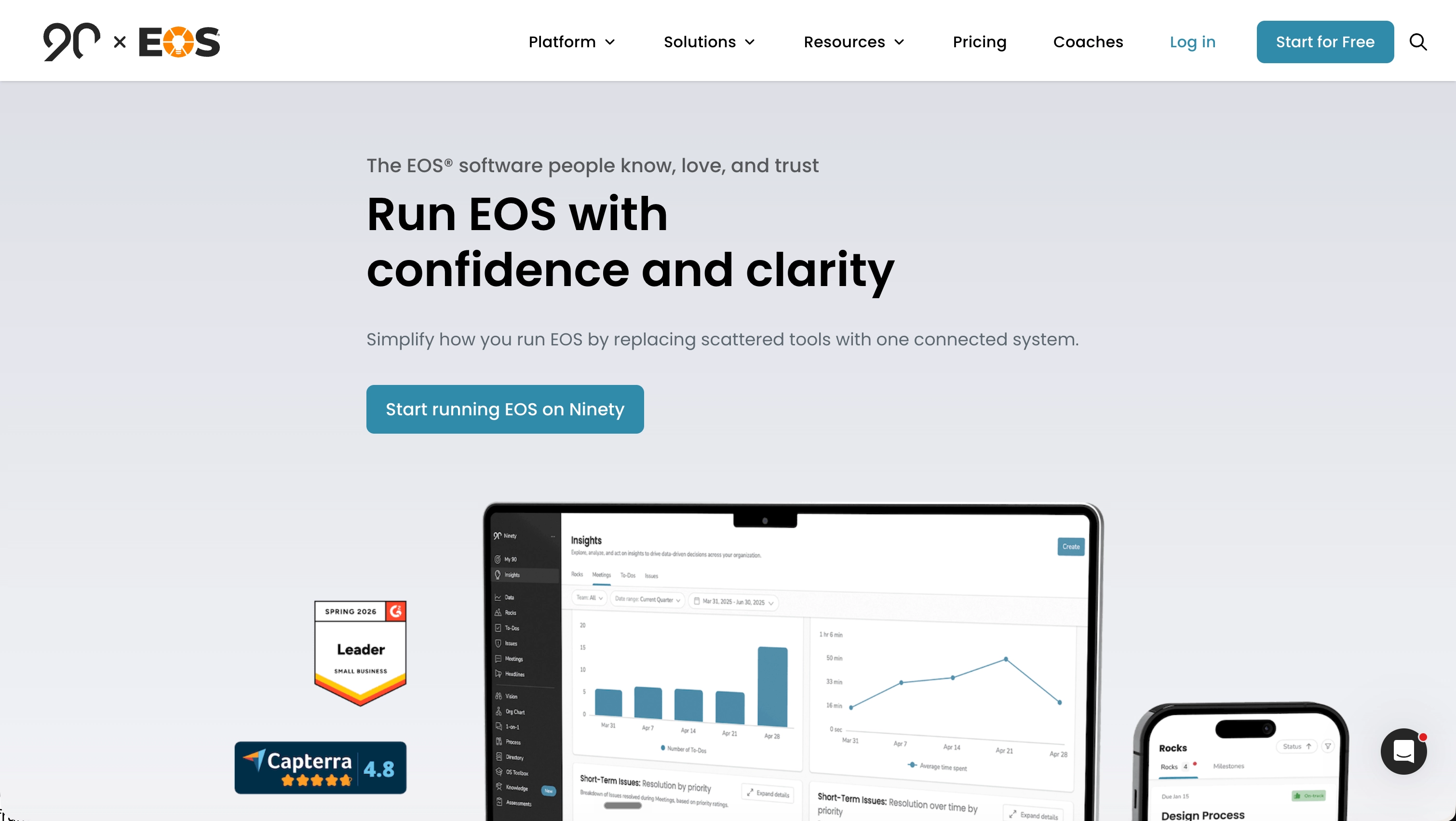
If you run EOS® in your company, you have probably used Ninety.io or at least looked at it.
It is one of the better-known tools for running the Entrepreneurial Operating System, and it does the job. But for a lot of teams, this is not the best fit anymore.
We’ll cover what Ninety is, who it’s best suited for, how it works day to day, what people like and dislike about it, and six alternatives, ranked from best to worst.
What is Ninety.io?
EOS® stands for Entrepreneurial Operating System. It is a set of habits and tools introduced in Gino Wickman’s book Traction. It is designed to help small and mid-sized companies get organized, with clear goals, clear ownership, and a weekly meeting, called the L10, that actually ends with decisions.
The problem it solves is simple. Most small companies lack company-wide visibility. Their plan is in one place, their numbers are in another, their tasks are in a third, and their meeting notes are somewhere else. Nothing is connected, so the plan doesn’t get executed, and nobody notices until the next quarter.
EOS® gives you a fixed set of components:
- A one-page plan, which EOS® calls the Vision/Traction Organizer, or V/TO
- A chart showing who is responsible for what, called the Accountability Chart
- 90-day goals, called Rocks
- A short list of weekly numbers, called the Scorecard
- A list of problems to solve, called Issues
- A weekly meeting with a fixed agenda, called the Level 10 Meeting
Ninety.io brings all these components together in one app. Instead of using six spreadsheets and a shared document, each component has its own page, and they are all connected. Your weekly meeting automatically pulls in your numbers, goals, and issue list. When the meeting ends, the notes and to-dos are already saved.
That is the whole idea. It is not complicated, and that is one of the advantages of the system.
Who is Ninety.io for?
Ninety is built for companies that actively run EOS®.
That usually means:
- Companies with roughly 10 to 250 employees
- A leadership team of five to eight people who meet weekly
- Someone driving the process, often an EOS® Implementer or someone implementing EOS® internally
- Departments that want to run their own weekly meetings using the same format
It works best when the entire team is bought into the process. If only one person cares about EOS® and everyone else is being dragged along, no software can fix that.
It is less useful for companies running a modified version of EOS®. Ninety is opinionated about how things should be done and can feel rigid in the software. Some teams appreciate that structure. Others run into limitations when they want to do things differently, or simply change a small thing.
How Ninety.io works day to day
Here is what a typical week looks like inside Ninety:
Before the meeting. Whoever owns a number enters the previous week’s result. It shows as green if the target was hit and red if it wasn’t. People mark their 90-day goals as on track, off track, or complete. Anyone can add an issue during the week, so problems are captured instead of forgotten.
During the meeting. You open the Level 10 Meeting page. Ninety starts a timer and guides the team through the agenda: good/bad news, the numbers, the 90-day goals, last week’s to-dos, and then the issue list, where most of the hour is spent. You prioritize the most important issues, discuss them, and decide what to do.
After the meeting. Whatever you agreed on becomes a to-do with an owner and a due date. The notes are saved, and a recap is sent by email. The following week, the same page opens with last week’s to-dos, making it obvious what didn’t get done.
Every quarter. You hold a longer session to close out the previous goals and set new ones. Ninety has a dedicated page for this, as well as one for the annual plan.
That is it. It is a rhythm, not a project management system. Ninety is not where your team tracks the 400 small tasks that make up its daily work. It is where the leadership layer of the business lives.
What Ninety.io costs
Ninety charges per person, per month. At the time of writing:
- Free: Includes the one-page plan, the org chart, and some assessments. It does not include meetings or the Scorecard, so it’s not that useful.
- Essentials: $12 per person per month. This plan includes weekly meetings, the Scorecard, Rocks, to-dos, and Issues.
- Accelerate: $14 per person per month. It adds quarterly and annual planning sessions, custom meetings, and a few people management tools.
- Thrive: $16 per person per month. It adds an AI assistant, process documentation, custom assessments, and API access.
There is no minimum seat count, and every plan comes with a 30-day trial.
A 30-person company on Accelerate pays about $3,500 per year. With 60 people, that rises to around $7,000. If you need API access, every user has to move to the most expensive plan 😬.
There is a less obvious cost too. When you pay per seat, you have to manage yet another thing. You start wondering who deserves a seat in your organization.
Once your operations manager or a contractor is excluded because of licensing costs, the tool stops being the single place where everything lives.
What people like about Ninety
The praise is consistent on G2 and Capterra:
It makes weekly meetings work. This comes up in almost every positive review. The timer, fixed agenda, and linked issue list keep meetings on track. Teams that once spent 90 minutes in meetings without making any decisions can now finish in 60 minutes with a clear list of actions.
Everything is in one place. Goals, numbers, issues, and to-dos are kept together instead of being scattered across documents and spreadsheets. Everyone can see what others have committed to.
Support is good. Reviewers mention receiving fast, clear, and helpful responses surprisingly often.
Migration is free.
What people don’t like about Ninety
The complaints are also consistent:
Heavy and clunky. Simple tasks take too many clicks, making Ninety feel like typical enterprise software.
Bugs and lag during live meetings. This is the most common technical complaint. When several people edit Issues at the same time during a meeting, the app can slow down or fail to save changes. That is the worst possible time for it to happen, because everyone is watching the screen.
Not much flexibility. Reviewers regularly ask for more control over dashboards and meeting templates. If you follow something close to EOS® but not exactly EOS®, you may have to adapt your process to fit the software.
Few connections to other tools. People want integrations with HubSpot, QuickBooks, Outlook, and Microsoft To Do, but most are unavailable. Ninety recently introduced an API, but it is only included in the most expensive plan and still has significant gaps. For example, you can submit Scorecard results but cannot retrieve them. Meetings and the one-page plan are not supported at all.
Confusing navigation. Important information can be hard to find, and the mobile app is suitable for quickly checking something but not for getting real work done.
Per-seat pricing limits access. Reviewers say it directly: the cost prevents them from giving access to everyone who should have it.
Overall sentiment
Read enough reviews, and a clear picture emerges. Companies that are deeply committed to EOS® and work with an Implementer generally like Ninety and stick with it. It does what it promises, and its high rating is well deserved.
The friction tends to appear in three areas. Teams that grow beyond 30 or 40 people start doing the math on seat costs. Teams that want to use their data elsewhere run into API limitations. Teams that do not follow EOS® exactly find that the software starts working against them.
Few people say Ninety is a bad product. Plenty say it costs more than it should and has not evolved much while the rest of the software world has moved forward.
Whether you want to switch because of the heavy and clunky interface, limited API and AI capabilities, or simply the high cost, here are six alternatives worth considering.
1. MonsterOps - the best all-round alternative
MonsterOps is the closest replacement for Ninety. It was built more recently and around a different set of assumptions.
It is super easy to use. The standard is simple: if your team can use a spreadsheet, they can use MonsterOps. There is no training session or mandatory onboarding call to sit through. That matters more than it might seem. Most operating systems do not fail because the framework is wrong. They fail because half the team does not want to learn yet another tool. People stop updating clunky software, and what should have been a great initiative becomes a chore.
It works for both technical AND non-technical people. Developers get an API, while bookkeepers get a simple page with numbers on it. MonsterOps also supports MCP, so you can connect it directly to your preferred AI, such as Claude or ChatGPT. You can ask questions like “Which Rocks are behind and why?” or “What did we decide about pricing last quarter?” and get a real answer because the assistant can read your goals, numbers, Issues, and meeting notes. That is a game changer for modern companies.
This is probably the biggest practical difference between MonsterOps and Ninety. Ninety’s API is only available on its most expensive plan, and it has significant gaps. You cannot even retrieve your own Scorecard results, while meetings and the one-page plan are not accessible at all. Your data is in Ninety, but it is not truly yours to use. With MonsterOps, everything is accessible through the API and MCP, without being locked behind a premium plan.
MonsterAI is also built in. It can answer questions about your Rocks, decisions, metrics, and meeting notes without making you dig through the data yourself.
**The pricing model is the other major difference. **MonsterOps costs $99 per month when billed annually, or $129 month-to-month, for unlimited users. There is also a free plan for teams of up to 10 people, with all the core features included. That is a lot of value.
For a 30-person company:
- Ninety Accelerate with annual billing: about $3,530 per year
- Ninety Thrive with annual billing, if you want its limited API: about $4,030 per year
- MonsterOps: $1,188 per year
With 60 people, MonsterOps still costs $1,188 per year. Ninety Thrive costs about $8,060.
Beyond the savings, flat pricing changes how people behave. You stop rationing access. Contractors, coaches, and new hires can join on day one instead of waiting for someone to purchase another Ninety seat or decide that it is not worth the cost.
It is not tied to one framework. MonsterOps supports EOS®, Scaling Up, and your own operating system. You do not have to fight the software when you want to adjust the framework to suit your company’s needs.
Where it is weaker: MonsterOps is a younger product than Ninety and does not have the same network of certified Implementers who know the software inside and out. If your Implementer insists on working exclusively in Ninety, that could be a dealbreaker.
Best for: Teams of 10 to 250 people that want the EOS® rhythm without per-seat pricing and care about having full access to their data.
2. Bloom Growth
Bloom Growth was previously called Traction Tools. It is one of the oldest EOS® platforms available and was later rebranded.
It covers much of the same ground as Ninety, including weekly meetings, Rocks, Scorecards, Issues, and a one-page plan. Many Implementers have used it for years, so there is a high level of familiarity within the EOS® community.
Three things put people off.
**It feels dated. **The interface has been updated, but it still feels like an older product. The menus are dense, and simple tasks take more clicks than they should.
There is no API or AI. If you want to build automations or use AI with your company data, this is not the right tool.
**It is expensive at the low end. **Bloom Core starts at $299 per month for up to 25 users. Bloom Accelerate costs $499 per month, also includes 25 users, and requires an annual commitment. Additional seats cost $5 each.
That pricing model only makes sense if you have close to 25 users or more. A 10-person leadership team pays $3,588 per year for Core, which is more than Ninety Accelerate and three times the price of MonsterOps. The math improves at 100 users, but you still start with a monthly base price of $299 or $499.
**Best for: **Companies that already use Bloom Growth and do not want to switch, as well as larger organizations where the base price is spread across more users.
3. Strety
Strety takes a different approach by working directly inside Slack and Microsoft Teams. If your team already spends all day in one of those platforms, its EOS® tools appear where people already work instead of becoming another tab they have to remember to open.
It covers the standard EOS® components and adds one-on-one agendas, performance reviews, surveys, and project tracking. It costs $13 per user per month, with no contract and a 30-day trial. The price per user decreases as your team grows.
For teams that struggle to get people to open another app, Strety may be worth considering.
The Slack and Teams integration cuts both ways. If your company is not committed to either platform, the main advantage is fairly pointless. If it is, your quarterly goals live alongside chat and other day-to-day operational tools. This creates a milder version of the ClickUp problem, where the leadership layer gets mixed into the noise of daily work.
There is no MCP, and API access is limited. Strety can connect to Pipedream and offers some partner integrations, but it does not appear to provide a documented public API comparable to the one Ninety offers with Thrive. As a result, it does not solve the data-access problem either.
Strety also charges per seat, so the same cost curve as Ninety applies.
Best for: Companies that primarily use Slack or Microsoft Teams and see adoption as their biggest challenge.
4. ClickUp
ClickUp is a general-purpose work platform. You can build almost anything in it, including a system that resembles EOS®. Templates are available, and plenty of teams have made them work.
You may already be paying for ClickUp, so why buy a second tool?
Two main problems come up in practice.
**It is noisy. **ClickUp is where daily work lives, including every task, ticket, and checklist. Your quarterly goals end up in the same place as “Order more coffee pods.” The leadership layer should remain separate from the daily operational layer. When you combine them, important work gets buried beneath urgent work. After a few weeks, nobody is looking at the company goals anymore.
**You cannot properly run a meeting in it. **ClickUp does not have a dedicated meeting mode. There is no timer, no fixed agenda that guides you through each section, no automatic recap, and no place where your numbers and Issue list appear side by side during the conversation. You can recreate some of this with a document and a few custom views, but you still have to facilitate the process yourself every week.
The value of a dedicated tool is that it runs the meeting for you, allowing the person leading it to focus on the conversation instead of watching the clock.
There is also a significant setup cost. Making ClickUp behave like an EOS® tool requires real configuration work, and the resulting system can be fragile. When the person who built it leaves, nobody else knows how it works.
ClickUp costs $7 per user per month with annual billing on the Unlimited plan and $12 on the Business plan. AI features cost extra.
Best for: Small teams that want a lighter version of the EOS® rhythm and already manage everything in ClickUp. It is not a good fit if improving the weekly meeting is your main goal.
5. Spreadsheets
Plenty of companies run EOS® using Google Sheets or Excel. They create one tab for the Scorecard, another for Rocks, a document for the meeting agenda, and a shared folder for notes. It is free, extremely flexible, and familiar to almost everyone.
For a five-person leadership team in a company of 15, this can work reasonably well.
However, it falls short in several areas compared with dedicated software.
Someone has to manage it. Every week, one person has to chase people for numbers, update the spreadsheet, prepare the agenda, and write the notes. That can take two or three hours per month, or more if the system requires customization. It is time that could be spent growing the business.
Nothing is connected. Rocks do not link to Issues. Issues do not link to the meetings where they were discussed. To-dos do not automatically carry over. You end up keeping the connections in your head, and things inevitably get dropped.
There is no reliable history. Someone overwrites the previous quarter’s numbers, and the trend disappears. There is no record of who changed what. When people disagree about a decision made in March, there is nothing to check.
It does not survive the person who built it. The system follows one person’s logic. When that person leaves, formulas break, and nobody knows why.
It also does not solve the challenge of running the meeting itself. You will need a separate tool to create and maintain your org chart.
**Best for: **Companies with fewer than 10 people, or teams testing whether they can stick to the rhythm before paying for software. Move to a dedicated tool once the weekly maintenance starts becoming painful.
6. Building your own with AI
This is a newer option. With Claude or a similar AI tool, one person can build a working internal app in a few days. That leads some business owners to wonder: why pay for software when I can build exactly what I want?
Sometimes it works. More often, it creates serious problems that only appear later.
**It depends on one person. **The person who built the app is often the only one who understands how it works. If it breaks while they are away, the company is left operating without visibility. If they leave, your entire operating rhythm depends on an unmaintained app.
It has bugs you will not find immediately. AI-generated code often looks correct, but problems tend to hide in the edge cases. A number gets saved incorrectly. A permissions error allows the wrong person to see salary information. A time zone bug makes last week’s meeting notes disappear. You discover these problems when they cause real damage. In many cases, they remain unfixed because maintaining an internally built EOS® system is not that person’s main responsibility.
**Security becomes your responsibility. **Your goals, financial numbers, employee notes, and strategy are some of the most sensitive data in the company. They are now stored in an app that may have received no security review and may lack proper access controls.
**Maintenance never ends. **Dependencies break, hosting bills arrive, and small feature requests can consume an entire day.
It will always be incomplete. You are unlikely to reproduce every feature offered by dedicated software with a full development team. Integrations, meeting tools, notifications, mobile support, and ongoing improvements all take time to build and maintain.
**When it makes sense: **If you have a real engineering team with spare capacity and your process is genuinely unusual enough that no existing tool fits, building your own system may be a reasonable choice. Just calculate the true cost. A weekend of development followed by ongoing maintenance is not free. It can easily amount to several thousand dollars of engineering time each year, and you remain responsible for every bug.
If customization is the main appeal, consider software with a proper API first, such as MonsterOps. You can build the custom pieces on top of a platform that someone else maintains. If your goal is to save money, it will be difficult to beat MonsterOps at $129 per month with unlimited users and AI included.
How to actually pick
A few questions can simplify the decision.
**How many people need access? **If you have fewer than 10, start with MonsterOps for free or use a spreadsheet. If you want to give the entire company access without managing licenses, MonsterOps also stands out because of its flat pricing model.
**Is the weekly meeting your main problem? **If so, you need a proper meeting mode. That rules out ClickUp and spreadsheets.
**Do you need access to your own data? **Examine the API carefully. Do not just check whether one exists. Make sure it actually supports what you need. This is where MonsterOps is clearly ahead, with a complete API and MCP included instead of sold as a premium upgrade.
**Are you following EOS® by the book or running your own version? **If you follow it exactly, any dedicated EOS® tool should work. If you use your own version, choose software that will not fight your process.
Where does your team already work? If everything happens in Slack, Strety removes a genuine barrier to adoption.
A final thought
The tool matters less than the habit. A team that meets weekly, reviews the same numbers, and solves Issues will perform better with a spreadsheet than a team that never updates its software.
That said, the tool determines how much friction stands between your team and that habit. If updating the Scorecard requires 15 minutes of chasing people, the process becomes less effective. If half the team cannot log in because seats cost too much, the tool cannot create alignment. If the app lags during meetings, people stop trusting it.
These days, you should also have access to all your data at any time, regardless of which plan you pay for.
These are all valid reasons to switch.
If Ninety works well for your team, there may be no urgent reason to leave. However, it is still worth exploring your options. Some tools offer free migrations from Ninety, and switching can be much faster and easier than you might expect.