Cold outreach for marketing agencies serving local businesses
Cold Email For Markets You Can’t Afford to Burn.
The cold outreach platform that gives your agency room to grow. Run every client’s campaigns, protect deliverability, and keep your team in sync.
Built into the growth of
Lee’s, John’s, and Will’s agencies.
“In 12 months we’ve grown from ~100 clients to 220 clients...QuickMail has been pivotal in helping us do that.”
 Lee Betts · Lead Gen Agency Owner
Read Lee’s story
Your next email will land in the prospect inbox
You are good at marketing.
We are good at deliverability.
Every new account brings another campaign to launch, another set of senders to watch, and another client who wants to know what’s working. The work adds up long before you’re ready to hire again.
The campaign is live.
The follow-ups are piling up.
Your team is moving between accounts, checking replies, and making sure the next touch happens. Every manual handoff is another thing to remember.
The client call is tomorrow.
The report isn’t ready.
The answers are spread across campaigns and spreadsheets. You spend the time gathering numbers that you wanted to spend improving results.
You’re ready to grow.
Your process needs to catch up.
Taking on more clients should feel like progress. It gets easier when your campaigns, team, and reporting work together from the start.
Give your agency a foundation that can handle its next chapter.
See how it comes togetherFollow the work. See the difference.
Low volume requires a different playbook.
You don't have 10,000 leads to replace the ones you burn.
From the first campaign to the next client you bring on, QuickMail gives your team the tools to keep the whole operation moving.
Start conversations.
Keep them moving.
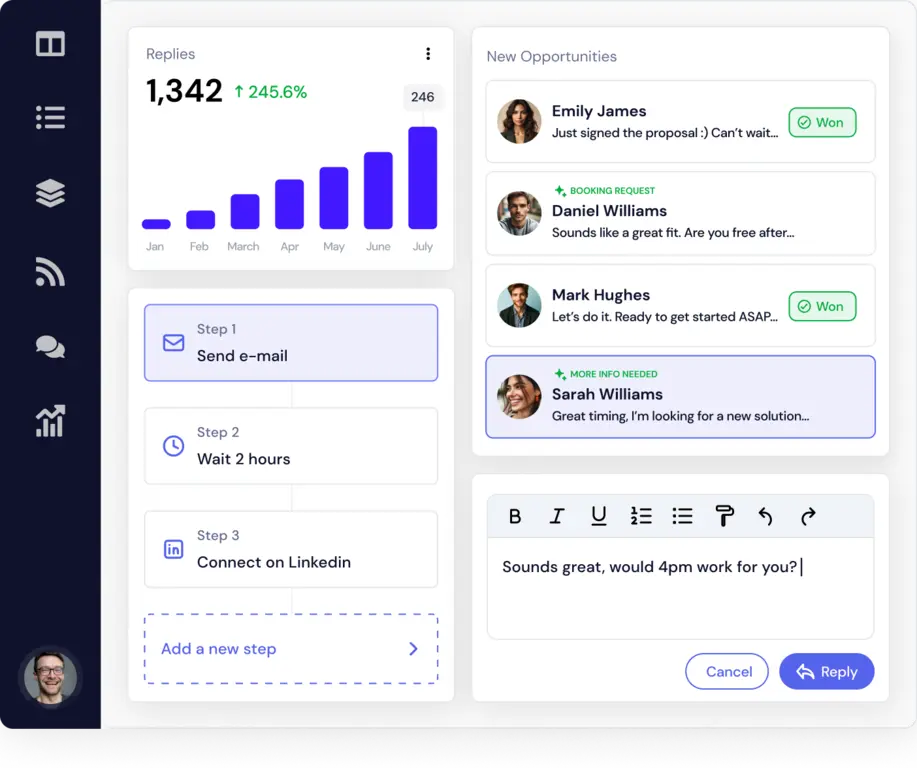
Good outreach takes more than a first email. Build a sequence that gives each prospect a thoughtful next touch, without asking your team to remember every follow-up.
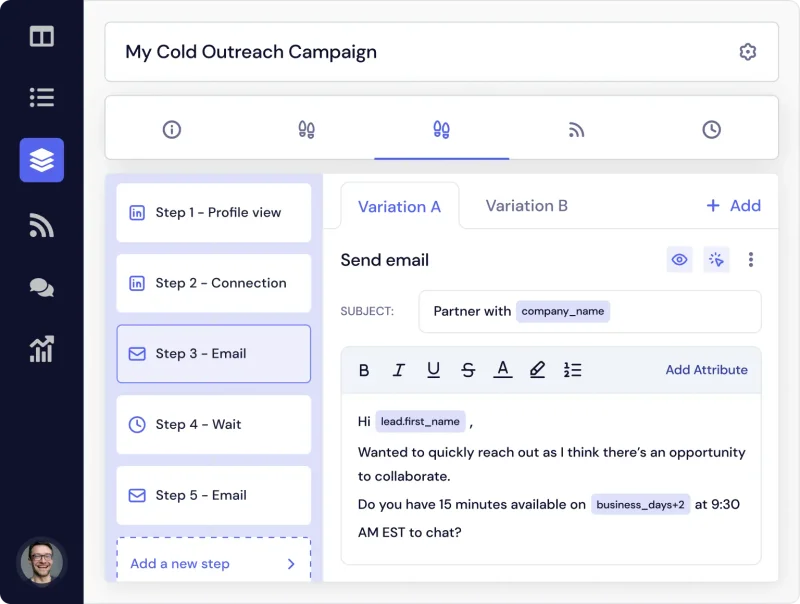
Bring email and LinkedIn into the same campaign. Personalize the details, set the timing, and let the sequence handle the next step when there’s no reply.
- Combine email and LinkedIn campaign steps
- Personalize with custom attributes and Liquid syntax
- Set follow-up timing down to the minute
Your copy deserves
a chance to be read.
Great messages can’t do their job when sender performance slips. And checking every inbox by hand becomes a bigger job with every client you add.
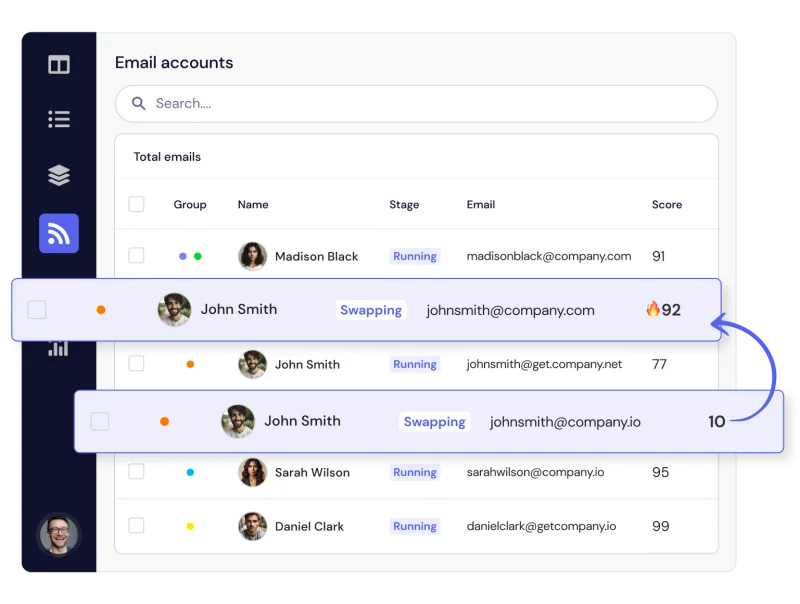
Use inbox rotation, Deliverability AI, and blacklist monitoring to stay close to the health of your sending setup. Keep control of volume and pacing as your campaigns grow.
- Rotate sending across multiple inboxes
- Keep track of individual sender performance
- Control daily limits and delays between emails
Know who needs you.
Before the client call.
Switching between clients should help you make decisions, not make you reconstruct what’s happening in every account.
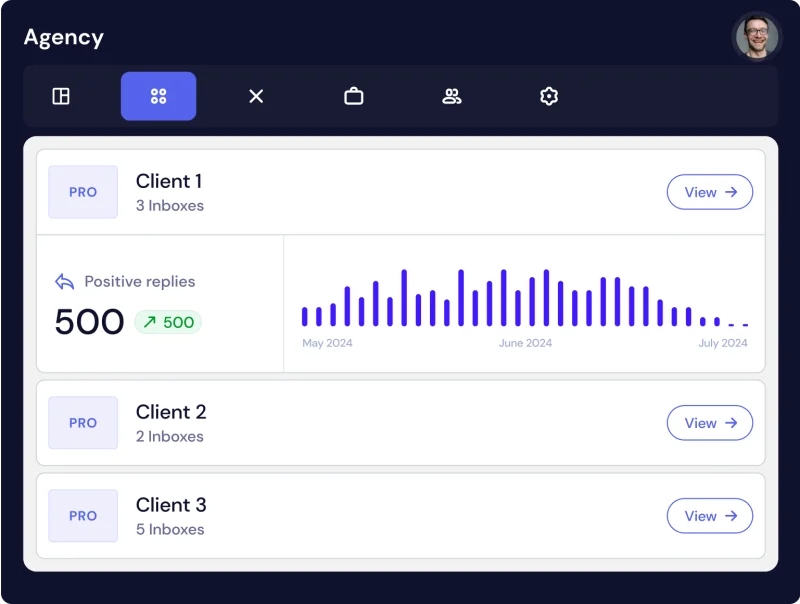
See clients and campaigns together in your agency dashboard. Find the accounts that need attention, then get into the details with the context already in front of you.
- Bring client workspaces into one agency view
- See campaign performance across your clients
- Focus your attention where it matters most
Delegate the work.
Keep the visibility.
Your agency can’t depend on everything going through you. Give teammates the access they need while keeping a clear record of the work that’s happening.
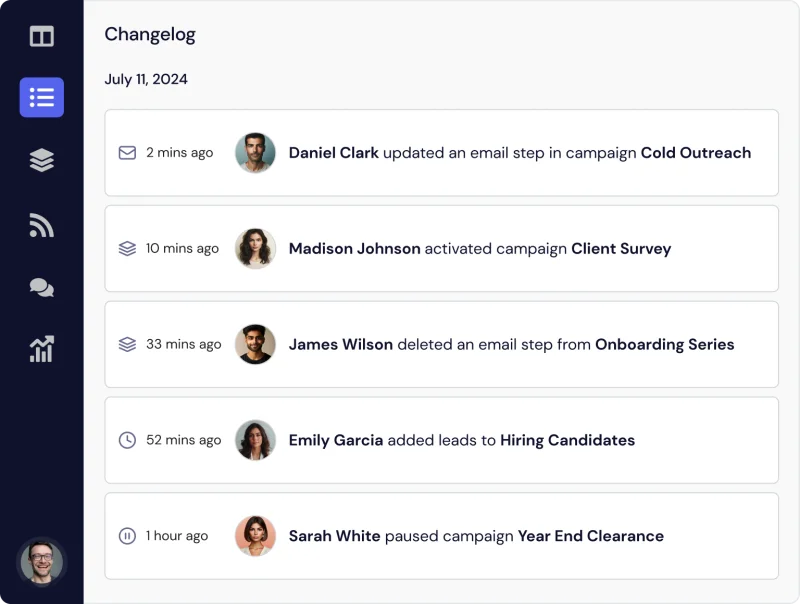
Invite team members once at the agency level, assign their client access, and follow changes in a searchable, time-stamped changelog. Unlimited team members are included at no extra cost.
- Invite teammates at the agency level
- Give each person access to the clients they need
- Trace campaign changes through the activity log
Keep scrolling to follow the workflow
Get back to the work that grows your agency
More time for better conversations.
More room for
your next client.
A clearer path to
what comes next.
A campaign should sound like you
Make the details
do more of the work.
A first name in the subject line is only the beginning. Give your team the flexibility to build outreach around the person receiving it.
Write a custom preview line. Bring a colleague into the conversation with a mention or CC. Use Liquid syntax to adapt your message, then choose exactly when the next step should happen.
When you find a stronger approach, A/Z testing helps you keep improving the messages your clients put their names behind.
Build your next campaign with usHi {{first_name}},
I noticed {{relevant_detail}} and had an idea for {{company}}.
Would it be useful if I sent over a few thoughts?
Your team
Personalize the substance.
Adapt your message with custom attributes and Liquid syntax, so the detail goes further than a greeting.
Choose the next touch.
Build email and LinkedIn steps into the same sequence and control the time between them.
Test more than a hunch.
Use A/Z testing to compare messages and see which changes improve campaign performance.
Deliverability is part of the job
Give every campaign
a stronger sending foundation.
Managing more clients means managing more senders. QuickMail brings the controls together so your team can spend less time checking each one by hand.
Share the sending load.
Inbox rotation lets you distribute outreach across senders instead of putting every campaign behind a single inbox.
Keep performance in view.
Deliverability AI and blacklist monitoring help you stay close to changes in your sending setup.
Set a sensible pace.
Daily sending limits and variable delays give you control over how much goes out and when.
Mind the sending details.
MX bounce protection, text-only messages, Spintext, and unsubscribe headers support the work behind the message.
Built into the platform your team already uses to run outreach.
See QuickMail for your agencyThe numbers behind the next move
Less reporting.
More insight.
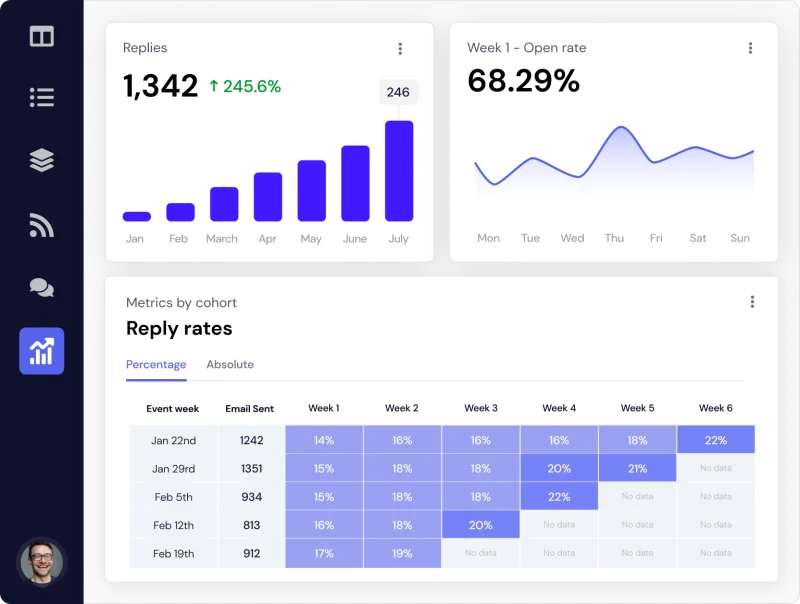
Walk into every client call knowing what’s working. See performance across your agency, individual clients, and each campaign.
- Compare results week over week with time attribution
- See the impact of changes at every campaign step
- Find stronger messages with A/Z testing
What growth can look like
One agency.
A whole lot of ambition.
LinkedHacker runs lead generation across industries, countries, and languages. QuickMail is part of the operation behind that reach.
When your agency serves different clients with different audiences, the ability to organize the work matters just as much as the ability to send the next email.
Read LinkedHacker’s storyFigures from the LinkedHacker customer story.
A better way to run the day
Bring the work together.
Get the whole picture.
Give the work that happens every week a clear place to happen.
| The work | When the process is spread out | With QuickMail |
|---|---|---|
| Managing clients | Switch accounts to work out who needs attention. | See clients and campaign performance from your agency dashboard. |
| Following up | Keep track of the next touch yourself. | Set email and LinkedIn steps with automated follow-ups. |
| Preparing reports | Gather numbers and compile a separate spreadsheet. | Review reporting across your agency, clients, and campaigns. |
| Bringing in the team | Repeat invitations and track changes through handoffs. | Invite once at the agency level and follow a searchable changelog. |
| Watching senders | Check performance and sending settings inbox by inbox. | Use inbox rotation, Deliverability AI, and sending controls together. |
We were seeing decent success with [other tool], but tried some test campaigns in QuickMail. It immediately became clear we needed to switch since the QuickMail campaigns were booking 4.2x more meetings...

A lot of other tools we previously explored feel more complicated because they aren’t designed for agencies. QuickMail has agency-friendly features built-in.

I’ve tested out every single email outreach platform...I’ve never found anything that replicates the results we get from QuickMail.

Your team just got bigger
Real people.
In your corner.
Get hands-on help with migration, custom workflows, and onboarding new teammates. Our white-glove service helps you move your campaigns from your current platform.
Book an agency demo“QuickMail’s support staff is the most helpful team I’ve had the opportunity to work with. They’ve helped us overcome each challenge migrating a large volume of clients/campaigns into their platform.”
 Jake H. · Lead Gen Agency Leader
You don’t have to untangle it alone
Your next platform.
A practical plan to get there.
When clients depend on your campaigns, moving platforms is a real decision. Our white-glove service gives you people to work through it with.
Bring your questions about the campaigns you’re running, the senders you’re using, and the way your team works. We’ll help you think through the move.
Talk through your move-
01
Start with your agency.
Walk us through your clients, campaigns, and current setup. Make the demo about the work your team actually needs to do.
-
02
Work through the details.
Talk through your migration, sending setup, and custom workflows with a team that can help you solve the practical questions.
-
03
Bring your people with you.
Get help onboarding teammates so the people running your campaigns know where to find what they need.
“Incredible software, incredible support... this is one of the most reliable and well-built platforms I use.”
 Luke MarloweLead Gen Agency Founder
A few things you might be wondering
Good questions.
Clear answers.
Want to see how it fits your agency?
Let’s walk through it together
Can I manage multiple clients in QuickMail?
Yes. Your agency dashboard brings clients and campaigns into one place so you can see performance, switch between client workspaces, and spot campaigns that need attention.
How does QuickMail help with deliverability?
QuickMail includes inbox rotation, Deliverability AI, blacklist monitoring, and sending controls such as variable delays and daily limits. Together, these help your team monitor and manage sender performance.
Can my team work across client accounts?
Yes. Invite team members at the agency level and give them access to the clients they need. Unlimited team members are included at no extra cost, with a searchable, time-stamped changelog to help you follow their work.
Does it support email and LinkedIn outreach?
Yes. Build multi-channel campaigns with email and LinkedIn steps, custom personalization, and automated follow-ups. Adjust the timing between steps to suit each campaign.
Can you help us move our campaigns?
Our team can help you work through migration, custom workflows, and employee onboarding. Book an agency demo to discuss your current setup and what your team needs.
Make room for what’s next
Your next stage of growth.
Starts with a conversation.
Let’s see what QuickMail can do for your agency.
Book an agency demo Your clients. Your workflow. A demo built around you.See what QuickMail customers say on G2